Default shortcuts
|
Action |
Shortcut |
|---|---|
|
Undo/Redo |
|
|
Maximize toggle the focused tab |
|
|
Template |
|
|
Rename template |
|
|
Duplicate template |
|
|
Delete template |
|
|
Playlist |
|
|
Search |
|
|
Search recall ID |
|
|
Take out all |
|
|
Move selection up |
|
|
Move selection down |
|
|
Expand section |
|
|
Collapse section |
|
|
Playlist instance |
|
|
Rename instance |
|
|
Duplicate template/instance |
|
|
Delete instance |
|
|
Preview (selected instance) |
|
|
Preview out |
|
|
Take in |
|
|
Take out |
|
|
Add/Show/Focus panel |
|
|
Form |
|
|
Live controls |
|
|
Output targets |
|
|
Playlist browser |
|
|
Preview |
|
|
Template browser |
|
|
Web page |
|
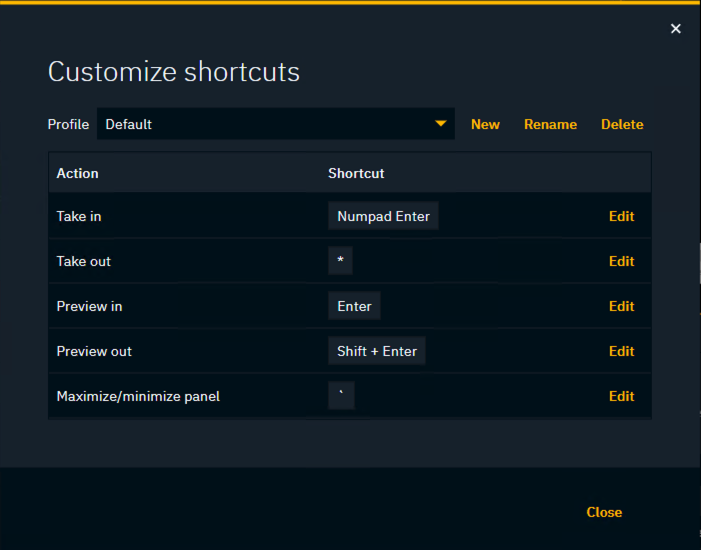
Customize shortcuts
Some of the shortcuts can be customized.
-
Click the overflow icon on the top left corner
-
Click on "Customize shortcuts" at the end of the list
-
Scroll to the action to customize and click "Edit"
-
Hold down the new shortcut
-
Click "Save" and "Close" at the end
Shortcuts are currently stored per machine in the browser.