
In Pixotope 26.2 we are creating our own separate Pixotope Custom Depth Stencil. This way we do not interfere anymore with Unreal Engine’s Custom Depth Pass.
Learn more about Pixotope’s Custom Depth Stencil
Default value
All Pixotope specific actors will automatically start using the new stencil system. Their default Pixotope Custom Depth Stencil is 1.
The global default can be adjusted in the Project Settings
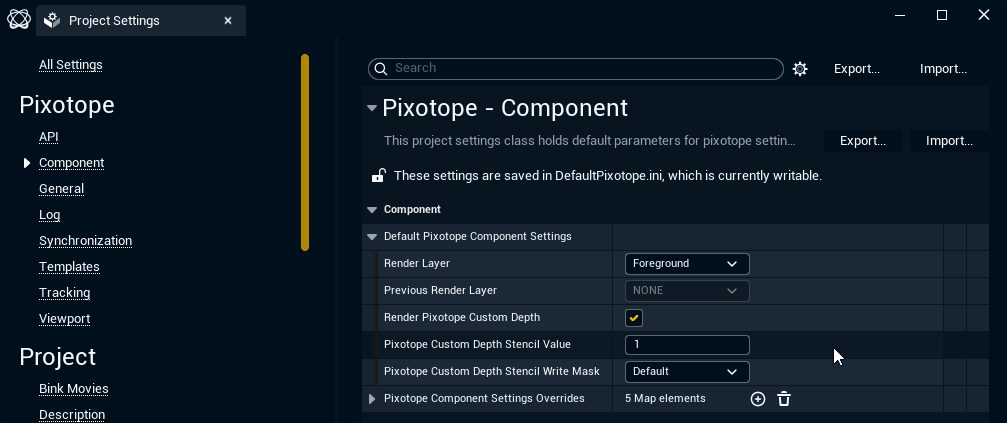
We no longer have Use Custom Depth By Default in Project Settings. Similar can be achieved by disabling Render Pixotope Custom Depth in Default Pixotope Component Settings and then restart the project.
Where to set
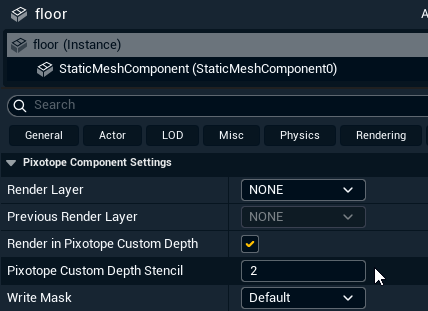
Pixotope Custom Depth Stencil can be found on the actor in Pixotope Component Settings.
In Blueprints
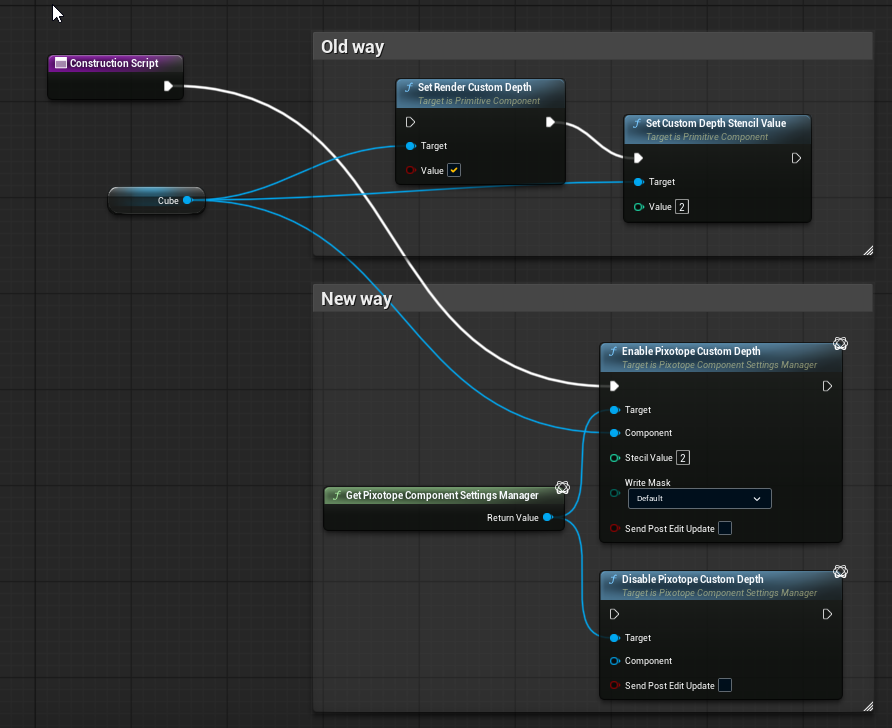
Pixotope Custom Depth can be adjusted in plugin using the Pixotope Component Settings Manager. It should be done on construction or begin play.
Avoid using it every tick.
Avoid adjusting Pixotope Custom Depth settings in Details for Components in Blueprints. Use blueprint nodes as shown below.
Migration
All actors that were converted before will need to be reconverted or will need stencil adjustments.
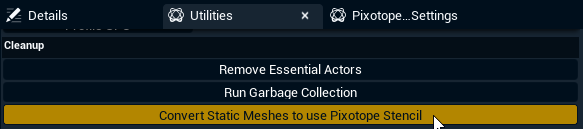
To ease conversion of projects that used multiple actors with Pixotope specific stencils we provide a one click conversion:
-
Open the Utilities tab
-
Click "Convert Static Meshes to use Pixotope stencil"
-
The conversion
-
reads Unreal’s CustomDepth Stencil Value and copies it to Pixotope Custom Depth Stencil
-
Only Static Meshes are converted. Other mesh actors like the Skeletal Mesh Actor have to be converted manually.
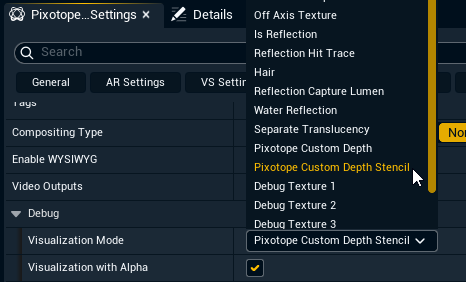
Visualize Pixotope Custom Depth Stencil
To confirm the stencils are correct, change Debug > Visualization Mode to
Pixotope Custom Depth Stencil
Disable for XR without inputs
Pixotope Custom Depth is enabled by default and needed for most of our compositing pipeline. It can be disabled if needed (Ex. XR without any inputs) with Pixotope.PixotopeCustomDepthEnabled false.