
To achieve specific compositing effects, objects can be rendered differently within our compositing pipeline.
Learn more about Compositing and rendering
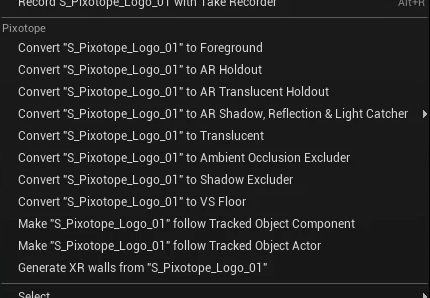
Objects can be converted between object types/render layers by
-
right-clicking them in the 3D view or the World Outliner and selecting the new type
-
using the Render Layer dropdown in the object’s Details panel
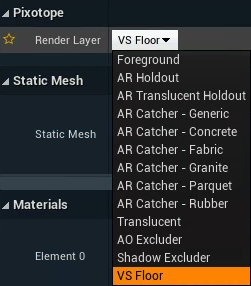
Changing object types/render layers might change its material and other values. Check the Render Layer tooltip below for more details.
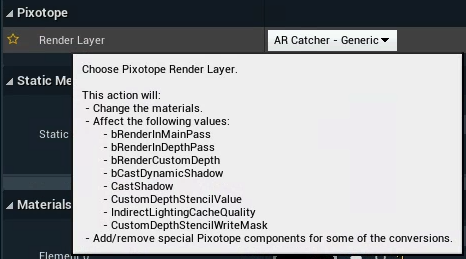
Render layers
Foreground (default)
-
This is the default for all objects
-
It renders the object in front of the video
Translucent
-
It renders objects with translucency and possible refraction in front of the video without anti-aliasing the video
VS Floor
-
Sets the object to a state where VS compositing planes will always be in front. This avoids the risk of clipping e.g. when the VS compositing plane (with the talent feet on the ground) intersects with the floor object.
Opaque Holdout
-
A holdout object prevents any AR object from occluding the video backplate in the region where it is placed
-
This makes it appear that AR objects pass behind that section of the video backplate
-
The object itself is not rendered
Translucent Holdout
-
Same as Opaque Holdout, but controls the translucency using a gradient based material
-
This can be used to provide a feathered edge to a holdout object to soften the blending
-
The default material gives a radial gradient
-
Note: The selection of this type is only possible through the World Outliner
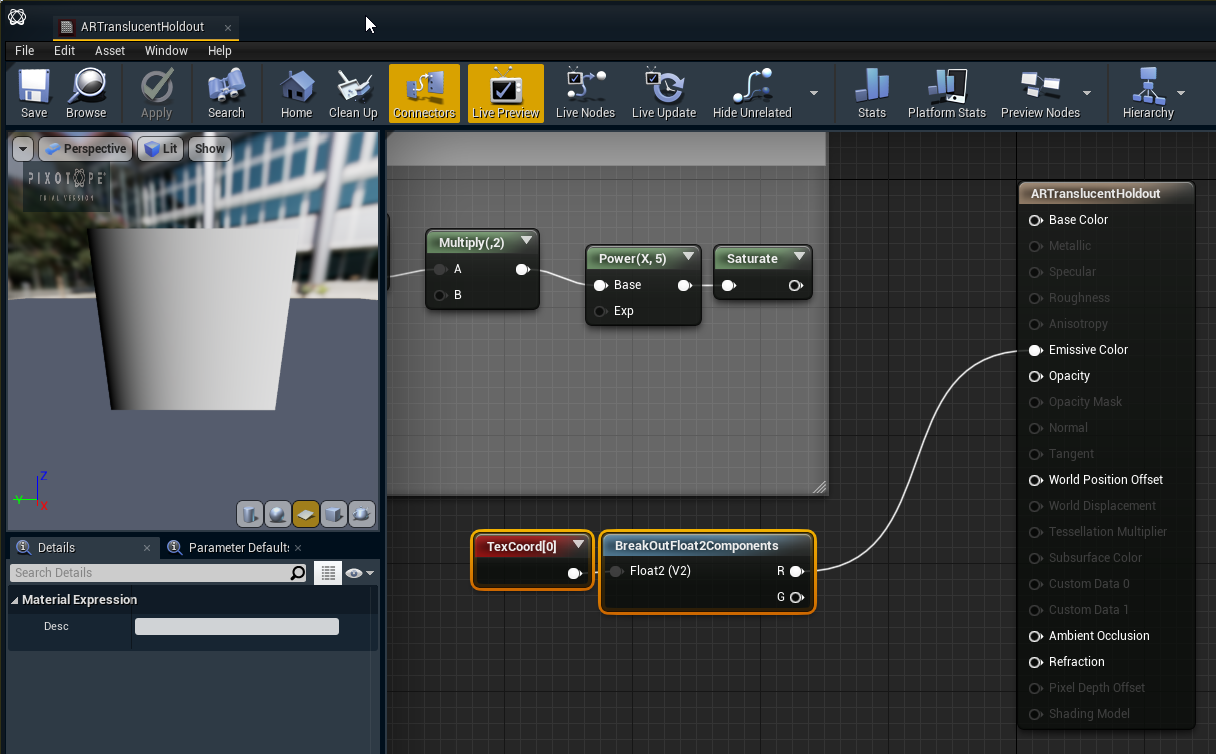
How to set up a custom linear gradient
-
Right click the 3D object and click "Convert object to Translucent Holdout"
-
Create a copy of the "ARTranslucentHoldout" material in your project
-
Open the copied material
-
Add a "TextureCoordinate" and a "BreakOutFloat2Components" node and chain them into "Emissive Color" connector of the material
-
To continue the holdout, just put an "Opaque Holdout" next to it
For debugging
-
Go to "World Settings" → "Pixotope World"
-
Set the "Visualization Mode" to "Feathering Mask"
AR Shadow, Reflection & Light Catcher
-
It renders shadows and reflections that are cast onto this object
-
Can be illuminated by scene lights
-
The object itself is not rendered
-
These are typically floors or walls where you want to catch shadows and reflections to be composited on top of the video
Learn more about the AR Shadow, Reflection & Light Catcher
AR Ambient Occlusion Excluder
-
In the area the volume covers, ambient occlusion will not be rendered
-
This can be used on intersecting shadow-catcher planes
AR Shadow Excluder
-
In the area the volume covers, no shadows are rendered