
Pixotope provides several ways to control how video and 3D graphics blend together. Use masking to block or cut out parts of the video, and feathering to create soft transitions at the edges.
Which tools you use depends on your production type:
AR
AR Holdouts and AR Translucent Holdouts
AR Holdouts define areas where video should show through virtual content, for example, to let a real-world desk appear in front of a virtual background.
You can turn any 3D object into an AR holdout.
-
The render layer for this object is changed to AR Holdout or AR Translucent Holdout
-
An AR Holdout or AR Translucent Holdout material is assigned
The AR Translucent Holdout material allows to control the feather.
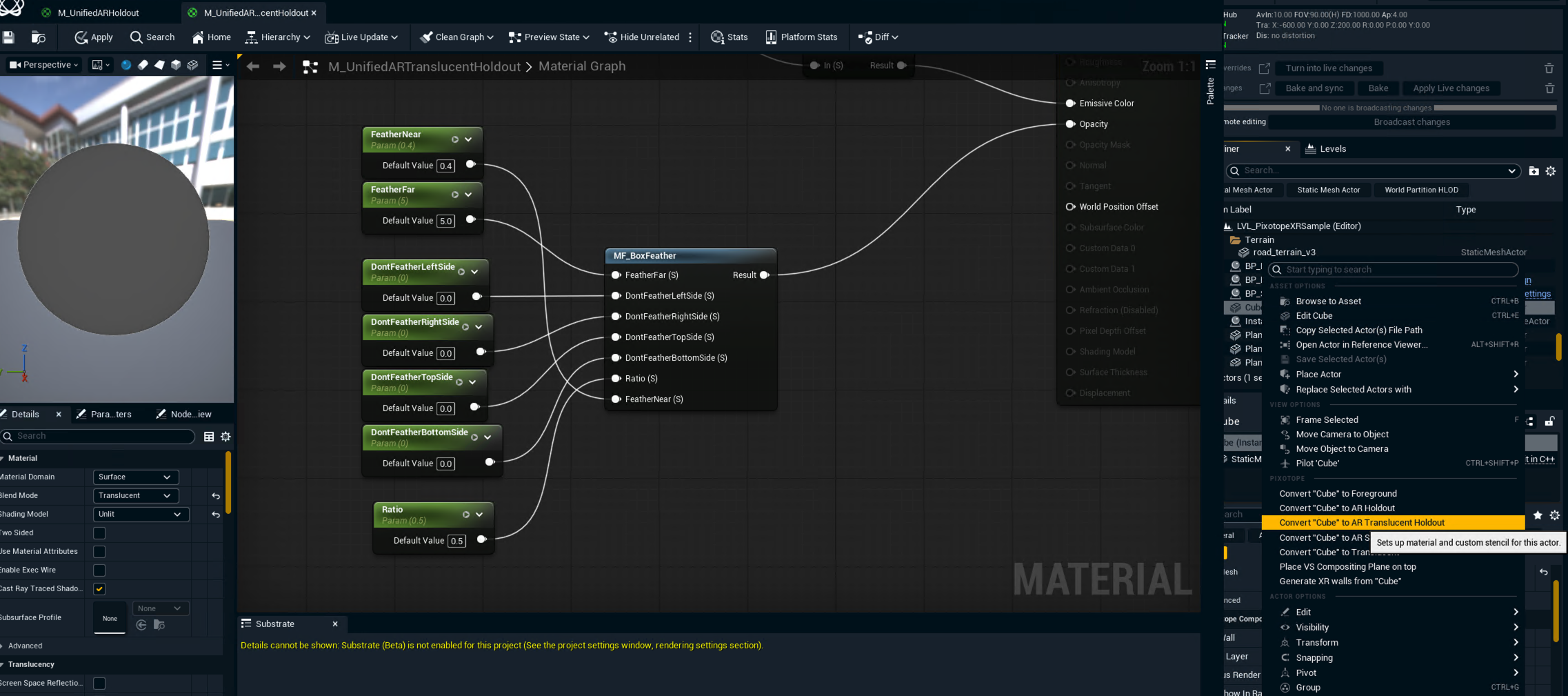
How to set up a custom linear gradient
-
Right click the 3D object and click "Convert object to Translucent Holdout"
-
Create a copy of the "ARTranslucentHoldout" material in your project
-
Open the copied material
-
Add a "TextureCoordinate" and a "BreakOutFloat2Components" node and chain them into "Emissive Color" connector of the material
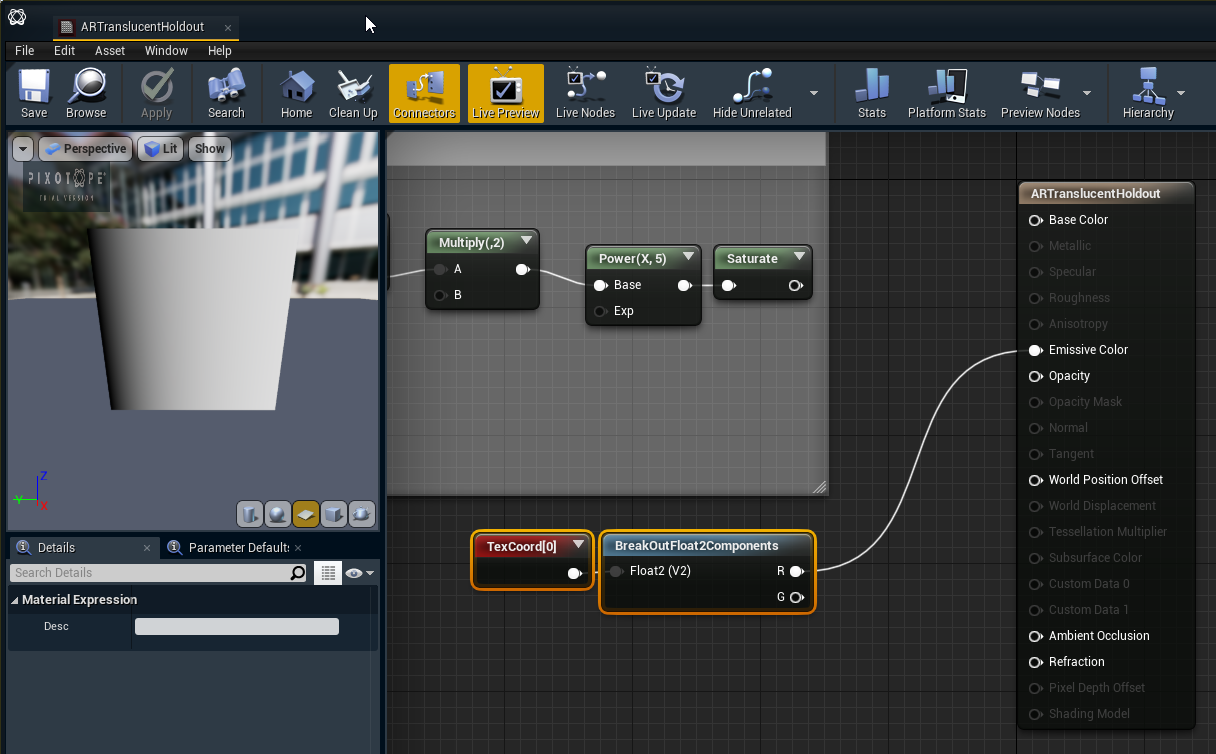
-
To continue the holdout, just put an "Opaque Holdout" next to it
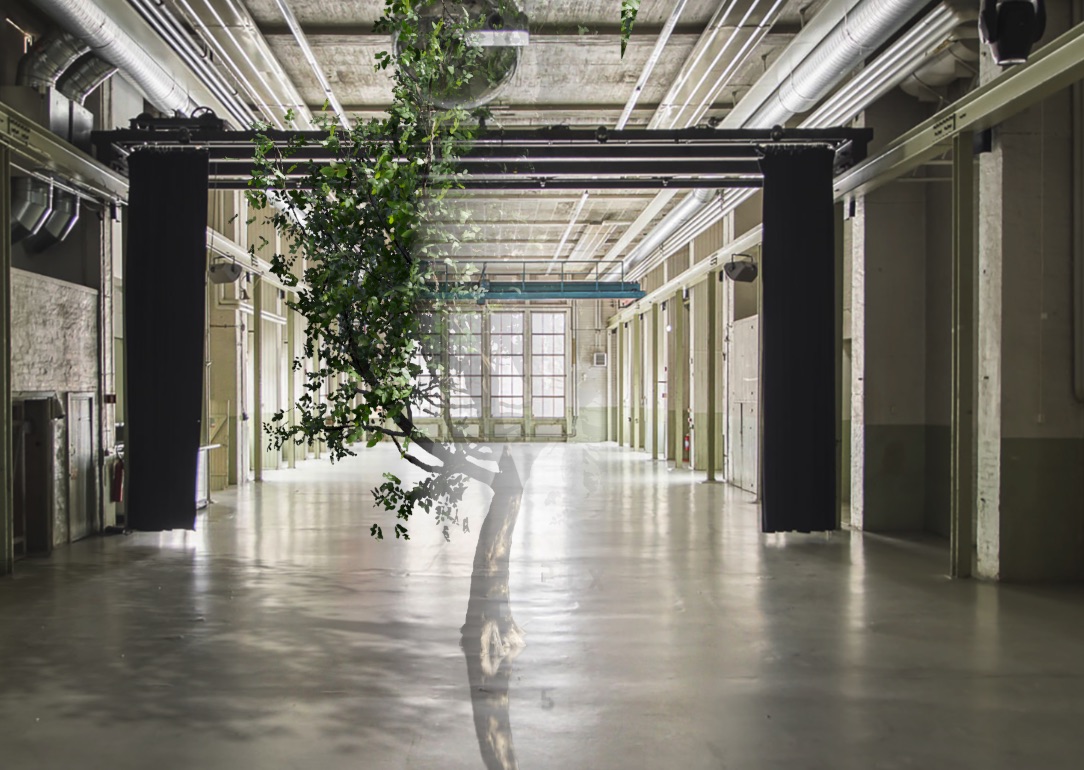
For debugging
-
Go to "World Settings" → "Pixotope World"
-
Set the "Visualization Mode" to "Feathering Mask"
Multiple AR Holdouts composite correctly with each other, so you can place several holdout regions side by side without blending artifacts.
Learn more about how to Set up an AR level or Set up an AR+VS level
VS
VS Internal Compositing Plane feathering
Each VS Internal Compositing Plane has per-plane feathering controls in its which can be accessed via
-
Director: PRODUCTION > Composite > Plane specific
Learn more about how to Adjust composite
-
Editor: Details panel, under the Feather section
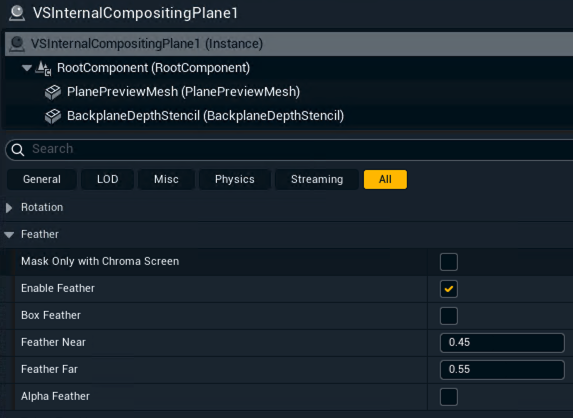
Learn more about the Compositing Plane
Learn more about how to Set up a VS level or Set up an AR+VS level
Feathering Garbage Matte
This actor masks out parts of the video feed with soft, adjustable edges.
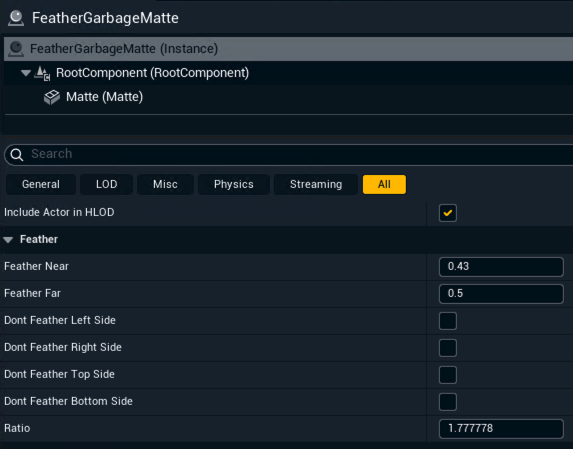
Mask out video using a feather pass
How to use feather pass to mask out video
-
Add a plane or any mesh acting as a garbage matte plane
-
Create a new material
-
Set the blend mode to Translucent
-
Enable "Render in Pixotope Feather Pass"
-
-
Assign this material to the plane via its Details panel
-
Disable the following options under Rendering > Advanced
-
Render in Main Pass
-
Render in Depth Pass
-
Render CustomDepth Pass
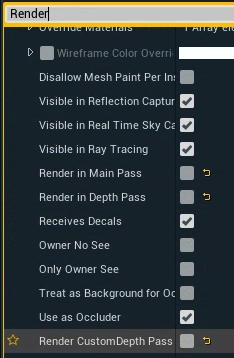
-
To make it work with Cast shadow on VS or Light up VS plane enabled also do the following:
-
On the VS Internal Compositing Plane
-
Enable Feather
-
Set Feather Near to 1
-
Set Feather Far to 1
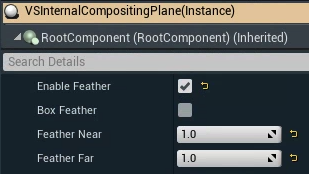
-
XR
XR Holdouts (Digital Twin)
For every body of a Digital Twin XR actor an XR Holdout is dynamically created. It prevents AR extensions from occluding the LED volume in that area.
As they have to be applied to the machines rendering the set extension (AR), the XR Holdouts are not rendered on machines with the the Render group set to XR.
Learn more about Render, feature and custom groups - AR, VS, AR+VS, XR
Learn more about how to Create holdouts - Digital Twin XR
Screen space holdout blur
For opaque holdouts (such as a physical desk in front of an XR wall), you can apply a screen space blur to soften the holdout boundary in the final output. The blur is applied to
-
AR holdouts/AR translucent holdouts
-
XR holdouts
-
Feathering garbage mattes
-
VS Internal Compositing planes
and controlled via the console variable: Pixotope.Compositing.BlurFeather
Learn more about Useful console commands