
When the Media Input Component or Media Input Actor doesn't give you enough control, Pixotope lets you access media directly in Blueprints. This is useful when you need finer, manual control over how media is used, and in some cases it can be simpler than configuring a Media Input Component or Media Input Actor.
Direct media access bypasses several features that the Media Input Component and Media Input Actor handle for you:
-
No automatic key/despill handling
-
No anti-aliasing avoidance
-
No automatic translucency support
If you need any of these, use the Media Input Component or Media Input Actor instead.
Access media
Media is accessed through the VideoIOController. You can reference an input by
-
name
-
id
-
number
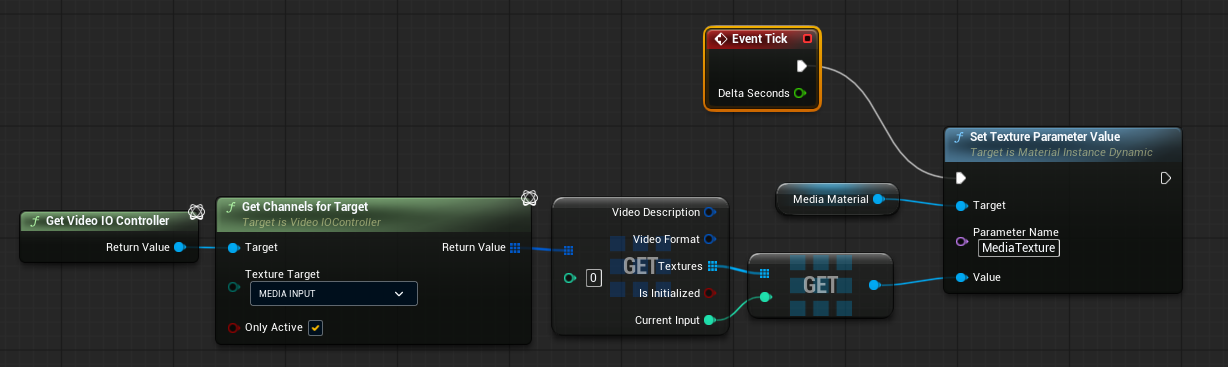
Always use Current Input to get the most recent texture. Like all inputs in Pixotope, media is buffered, so Current Input ensures you read the latest frame.
Example: Use media in a custom actor
Media accessed this way can be used in custom actors. The following example uses a Blueprint actor with a plane as the screen.

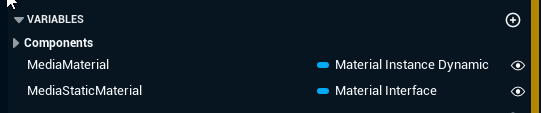
Add two variables for the material:
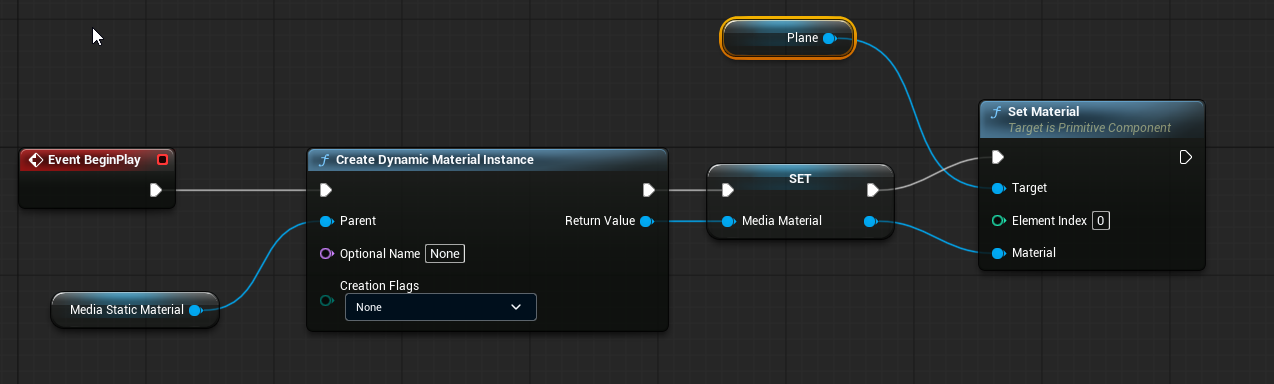
On BeginPlay, spawn a dynamic material instance and assign it to the plane:
On Tick, pass the current media to the material:
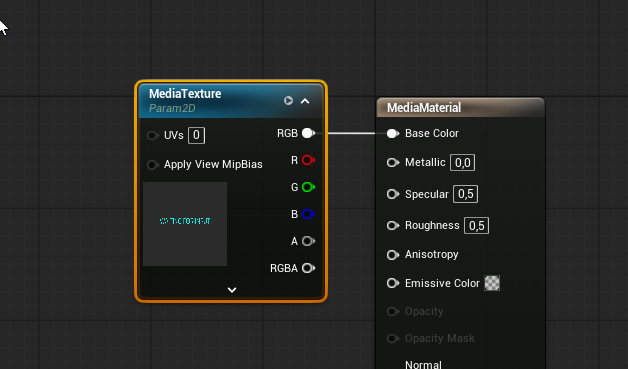
In the simplest case, the material samples this texture directly:
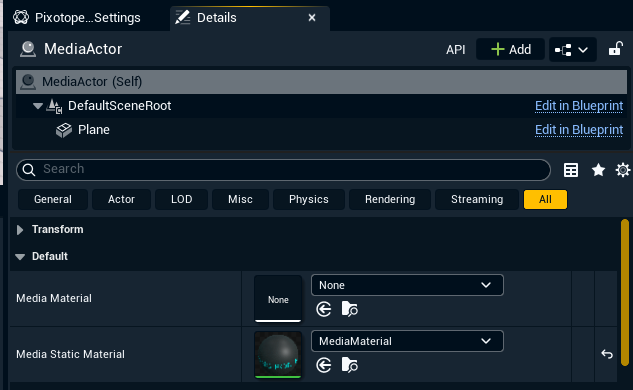
After spawning the actor, assign the static material to it:
We recommend checking that both the material and the media input exist in the actor before using them.
Files created using the example steps above: