
Requirements
-
The app is currently available on iPhones only → Download from App store
-
We recommend X models and above, with iOS 16 and later
-
For usage questions, please checkout the Pixotope community, as we currently do not offer active support.
Pixotope pocket is a mobile app that uses your iPhone’s camera and ARKit to send tracking data and a live video feed into Pixotope Director via SRT connection.
Components
.png?cb=35fbba2cb8822d7cd236e62feec3ef03)
How to use
Note that your phone and Director machine need to be on the same local network
Installation
-
Download and install the app → Download from App store
-
On first launch, grant the app permission to use your camera and network
Setup
This process involves switching between Director on desktop and Pocket on mobile
In Director
-
Create a camera system in SETUP > Configure > Camera tracking
-
Set the
Camera tracking protocolto Pixotope Pocket -
Route the camera system in SETUP > Configure > Routing using the
+on the top right -
Expand the camera item. Set the
Inputto SRT, andModeto Listener -
Match this camera’s
ResolutionandFrame rateto match Pocket’s formats-
By default it should be
Resolution1080 andFrame rate30
-
-
Note your camera’s
Portnumber-
By default it should be 16213
-
-
Note your machine’s IP address, visible on top, next to the machine name
In Pocket
-
Go to Settings > Connection settings using the cog icon
-
Input your Director machine’s IP address in the
Send tofield -
If needed, input your camera system’s port number in the
Portfield -
Go to Settings > Video
-
Ensure that
ResolutionandFrame ratematch the configuration in Director
Going Live
-
Tap the home screen to set the origin point, shown as 3 colored axes
-
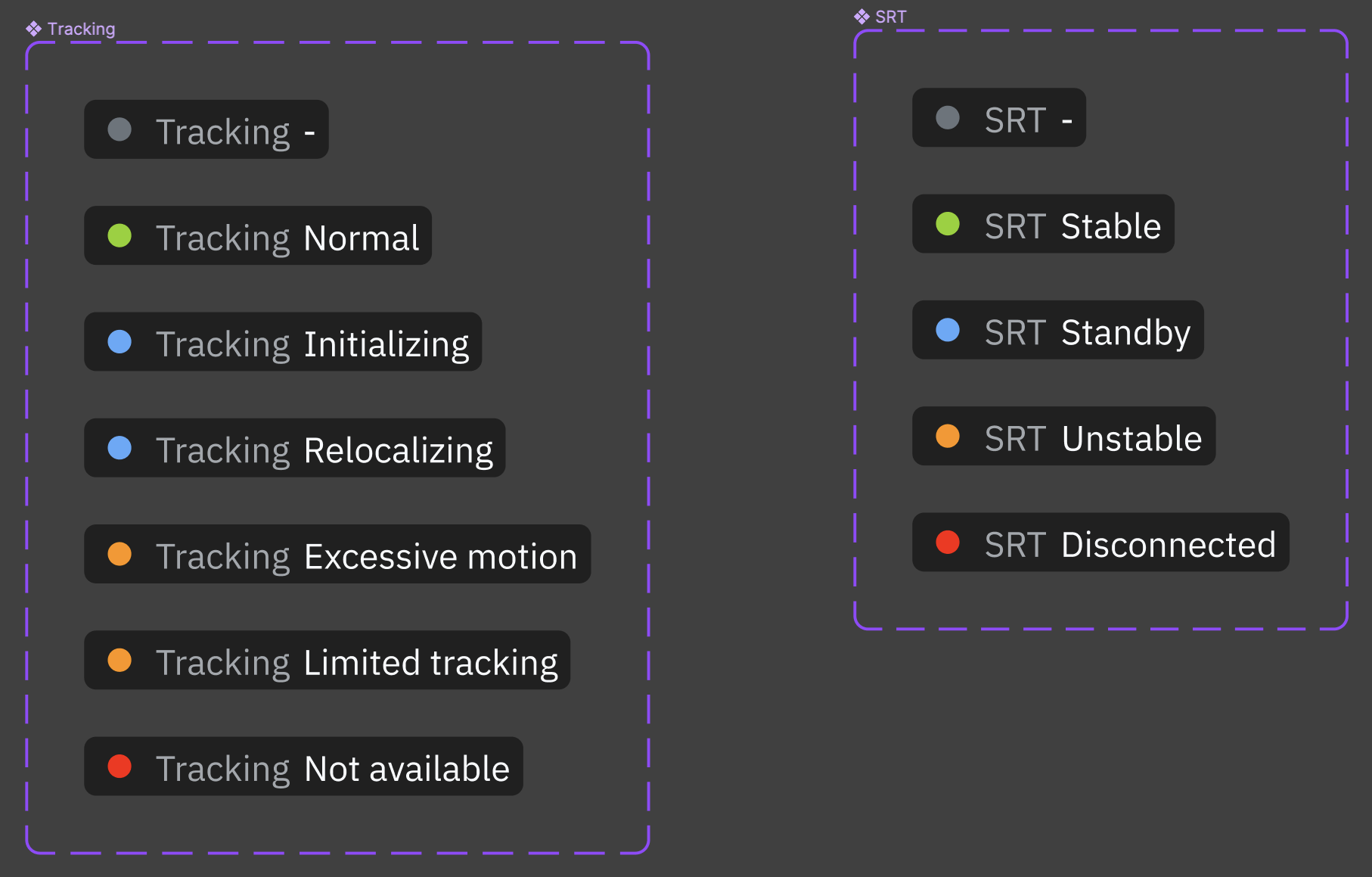
Check the status of your SRT and tracking connections
-
Press the big red button!
Additional settings
-
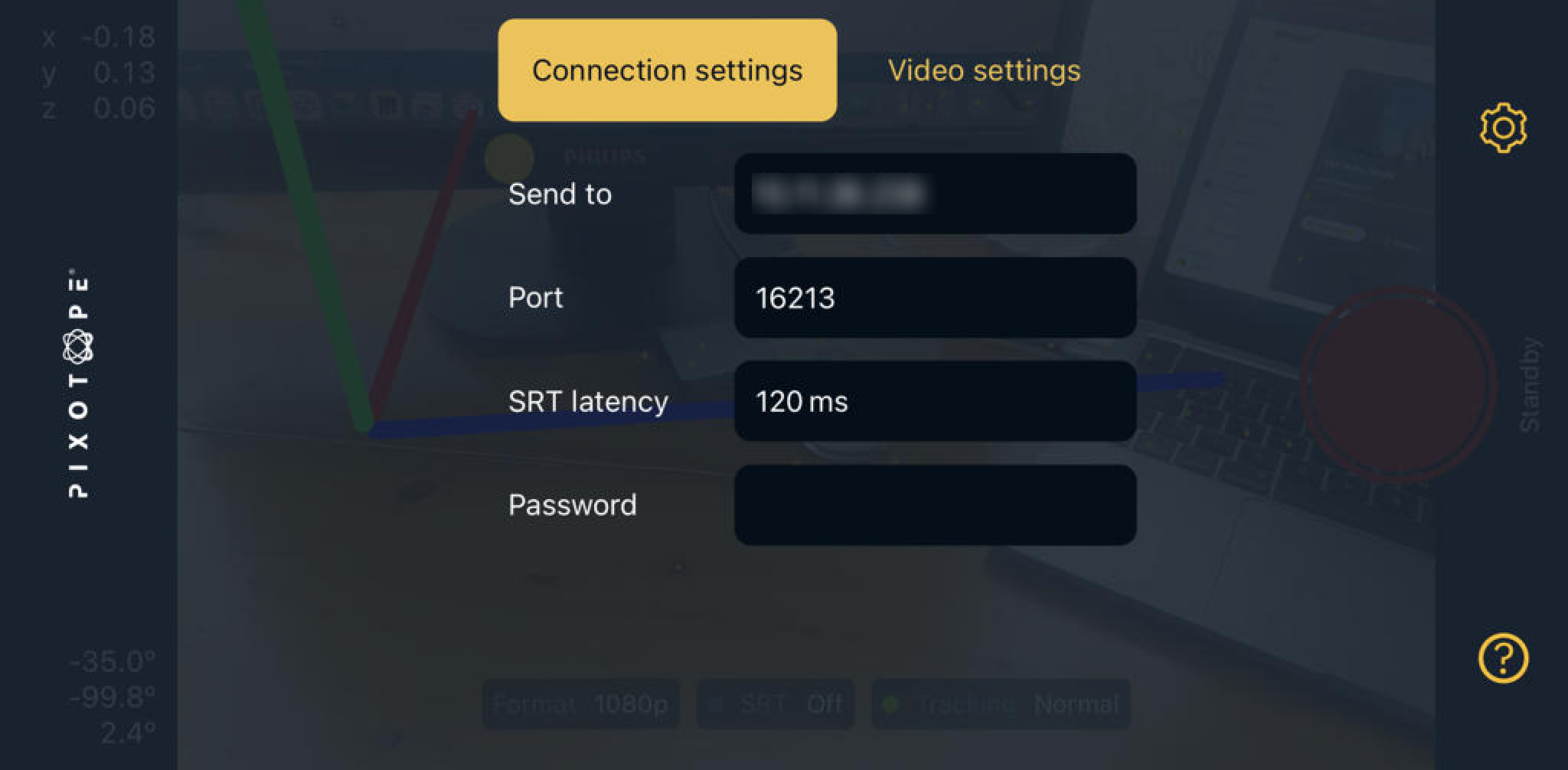
(SRT) Connection
-
SRT latency-
The value will depend on the RTT of your connection.
-
RTT (Round-Trip-Time) is the time it takes for a packet to travel from source to destination and back, and it is measured using the ping command on the destination IP (Director machine's IP).
-
SRT latencyis a buffer that allows the destination to ask for missing packets to the source, for retransmission. Hence, this buffer must be larger than the measured RTT value. -
The default value is 120 ms, which is typically suitable for local networks. Increase the value if you experience connection issues.
-
Set the same value on both ends of the connection. If there is a mismatch, the highest value prevails.
-
Increasing SRT latency increases end-to-end latency. Decrease this value to optimize latency, but ensure that the connection remains stable.
-
-
Password-
Choose a password with a length between 10 and 79 characters.
-
Configure the same password both in Pocket and Director
-
-
-
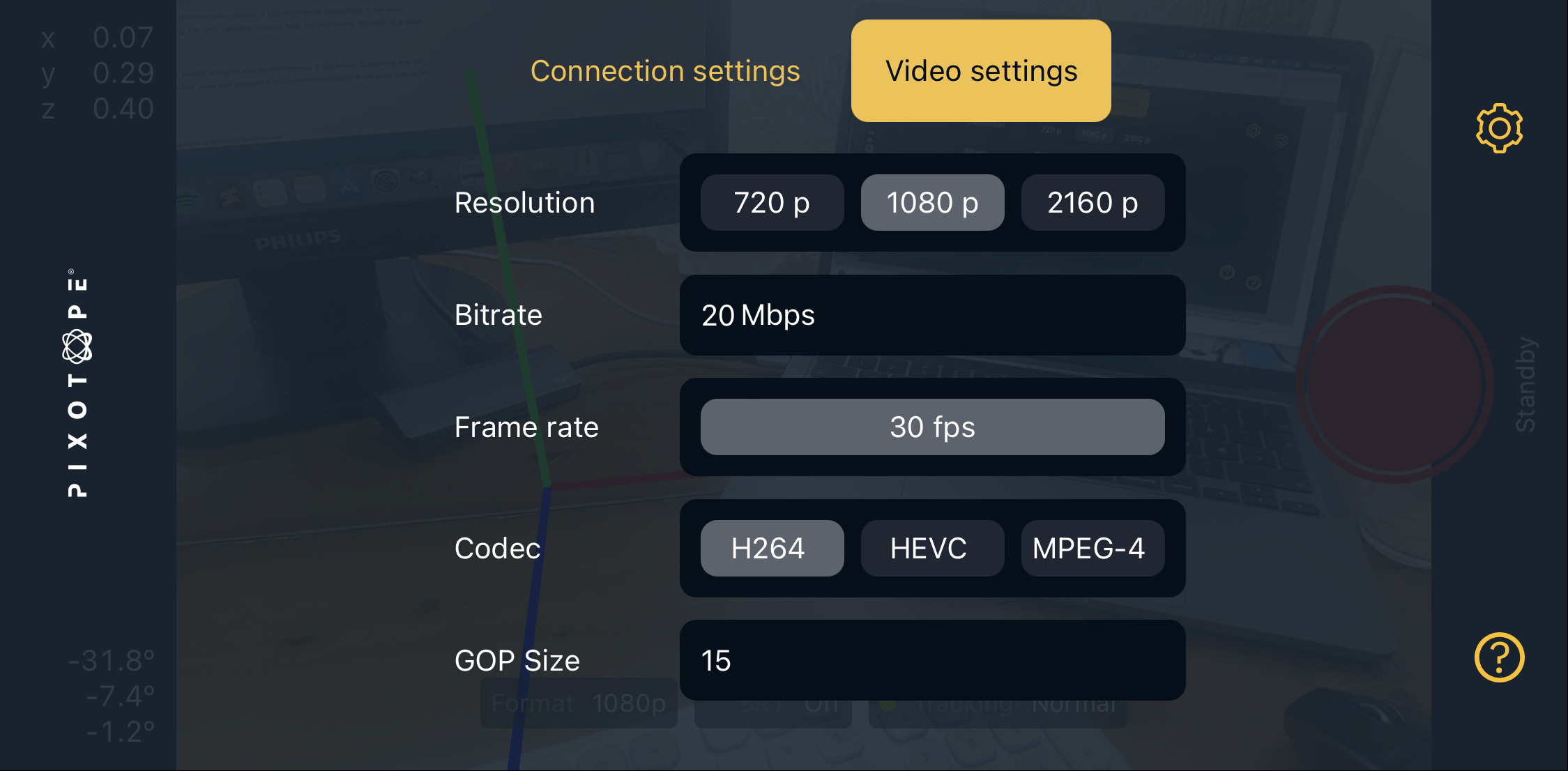
Video
-
Video must be compressed (encoded) in real-time to send it over the network using the SRT protocol. Compression can impact latency and video quality.
-
Adjust compression settings to optimize connection stability, video quality, and latency.
-
Bitrate-
Adjust
Bitratebased on available network bandwidth and WiFi capacity. -
If you experience video streaming issues, decrease the bitrate to improve stability while maintaining good video quality. Lower
Bitratevalues may affect video quality.
-
-
Codec-
For a given
Bitratevalue-
Different codecs impact video quality, latency, and phone performance
-
H264andMPEG4should provide similar video quality results -
H264uses less CPU hence it uses less battery and heats up the phone less -
HEVCprovides better quality at low bitrates, at the cost of higher CPU usage -
MPEG4provides lower latency
-
-
-
GOP Size-
Given a
BitrateandCodec, the value ofGOP Sizewill impact the video quality and latency -
Lower values will result in lower latency
-
Higher values will result in better video quality and low bitrates
-
-
Recommended settings
-
(SRT) Connection
-
SRT Latency-
Measure RTT and configure the value in 3 * RTT (milliseconds)
-
In local network, use the default value (120 ms)
-
-
-
Video
-
Bitrate-
As high as possible without exceeding your network/connection capacity
-
Start with 20-50 Mbps and only decrease if you see instabilities in the video on your composite output
-
-
Codec-
Start with
H264and, if bitrate must be pushed down to a very low value (15 Mbps or lower), switch toHEVC. -
Only try
MPEG4if you want to cut latency down to the minimum
-
-
GOP Size-
Use default value (15 frames), decrease to optimize latency if needed
-
-
-
Optimizing latency
-
Decrease
SRT Latency, testing over time that connection stability is not affected. Remember to decrease on both ends: Pocket and Director -
Decrease
GOP Size. If video quality drops, increaseBitratewithout exceeding your network capacity -
Use
MPEG4codec
-
Debugging
-
Network of Director machine is different from phone
-
Port forwarding
-
Router needs to be reconfigured
-