We do not recommend that you upgrade your Pixotope machines in the middle of a production or pre-production phase.
When choosing to upgrade, we recommend that you back up your existing Pixotope projects, so that you will be able to go back if you need to.
Installer
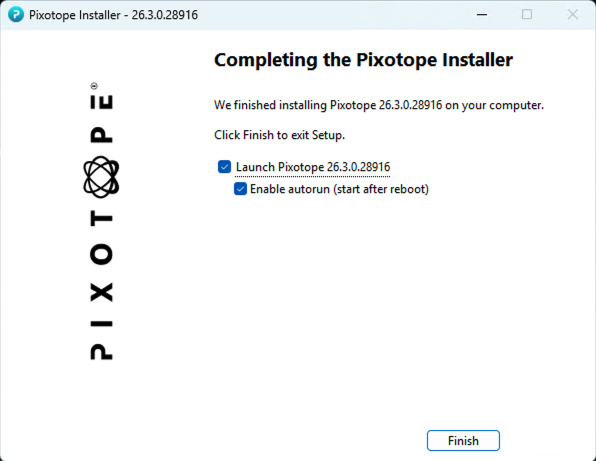
After the install you can now enable
-
Launch Pixotope [Pixotope version number]
-
This will launch the newly installed version and before that close any open one
-
-
Enable autorun (start after reboot)
-
On next machine restart, the newly installed version will be autostarted
-
Learn more about how to Install Pixotope
Director
Color matching
The maximum number of samples for Color matching were reduced to 19.
XR
Feather of XR holdouts can now be set from Director > Production > XR > Body settings and support individual feathering settings per side.
Learn more about how feathering XR holdouts
Engine
Unreal Engine 5.8.2
Projects will be migrated to version 5.8.2.
Project settings
Pixotope Project Settings now appear first in Project Settings.
Video outputs moved
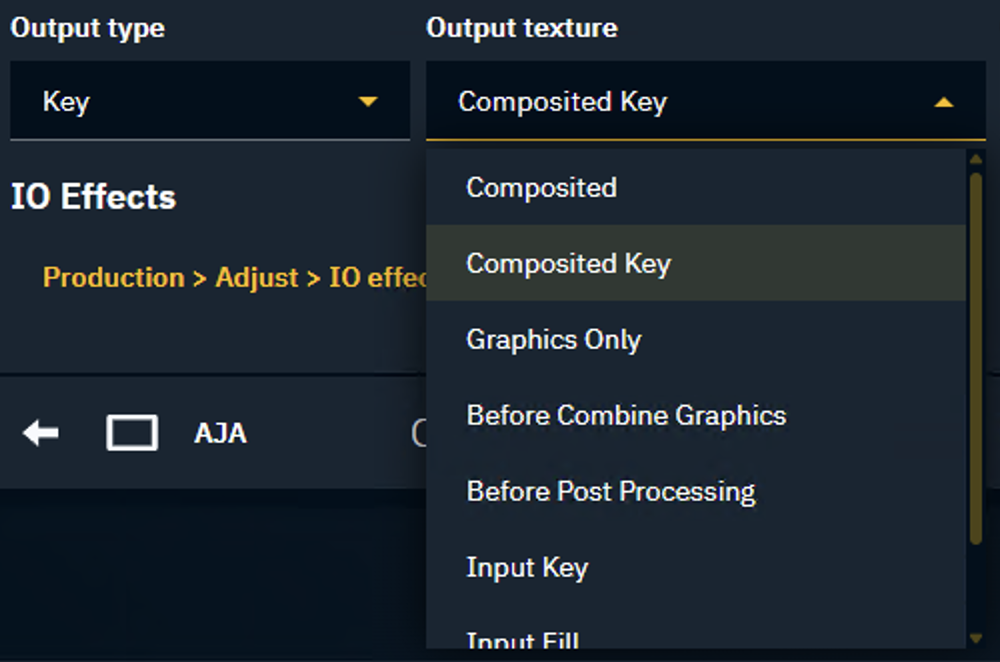
Setting what output texture to output, moved from Pixotope World Settings > General > Video outputs to Director > Routing panel > Output texture.
Learn more about how to Configure external compositing
VideoIO
Pass-through inputs
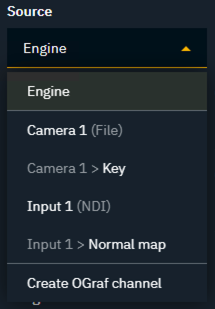
The list of available output sources now dynamically show all available input sources, allowing to pass-through any input directly to the output.
API
The Gateway API deprecated the version segment. However, versioned URLs still work.
Before: http://[IPAddress]:[Port]/[Gateway]/[Version]/publish
Now: http://[IPAddress]:[Port]/[Gateway]/publish
Learn more about How to use Pixotope Gateway
SDI Color range
SDI Color range settings are now combined into a single dropdown.
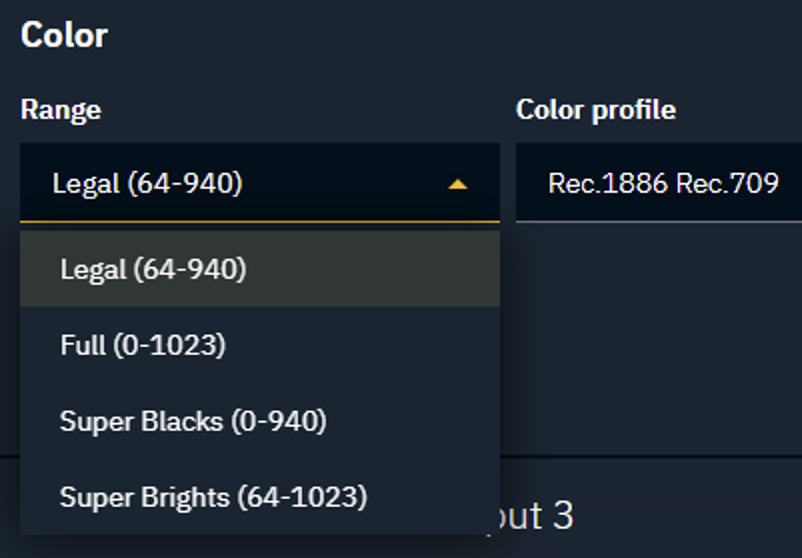
Learn more about SDI color range settings
Migrating show files
To carry over show files and machine settings from an old installation, you can
-
Click "Copy folder" at the start of the installation
-
OR manually copy the files into the Local storage folder of the new installation
Learn more about Show files and where they are stored
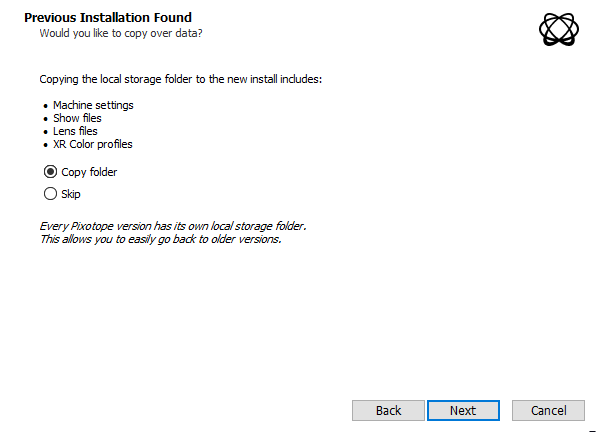
Migrating projects
When opening a project from Unreal or an old Pixotope version:
-
When prompted in the Editor, click "Update"
-
This will update your .uproject file

-
-
Restart the Editor
Unreal projects can be used in Pixotope right away and do not need any migration steps.