
Director allows to show/use multiple panels at the same time showing Director in the browser.
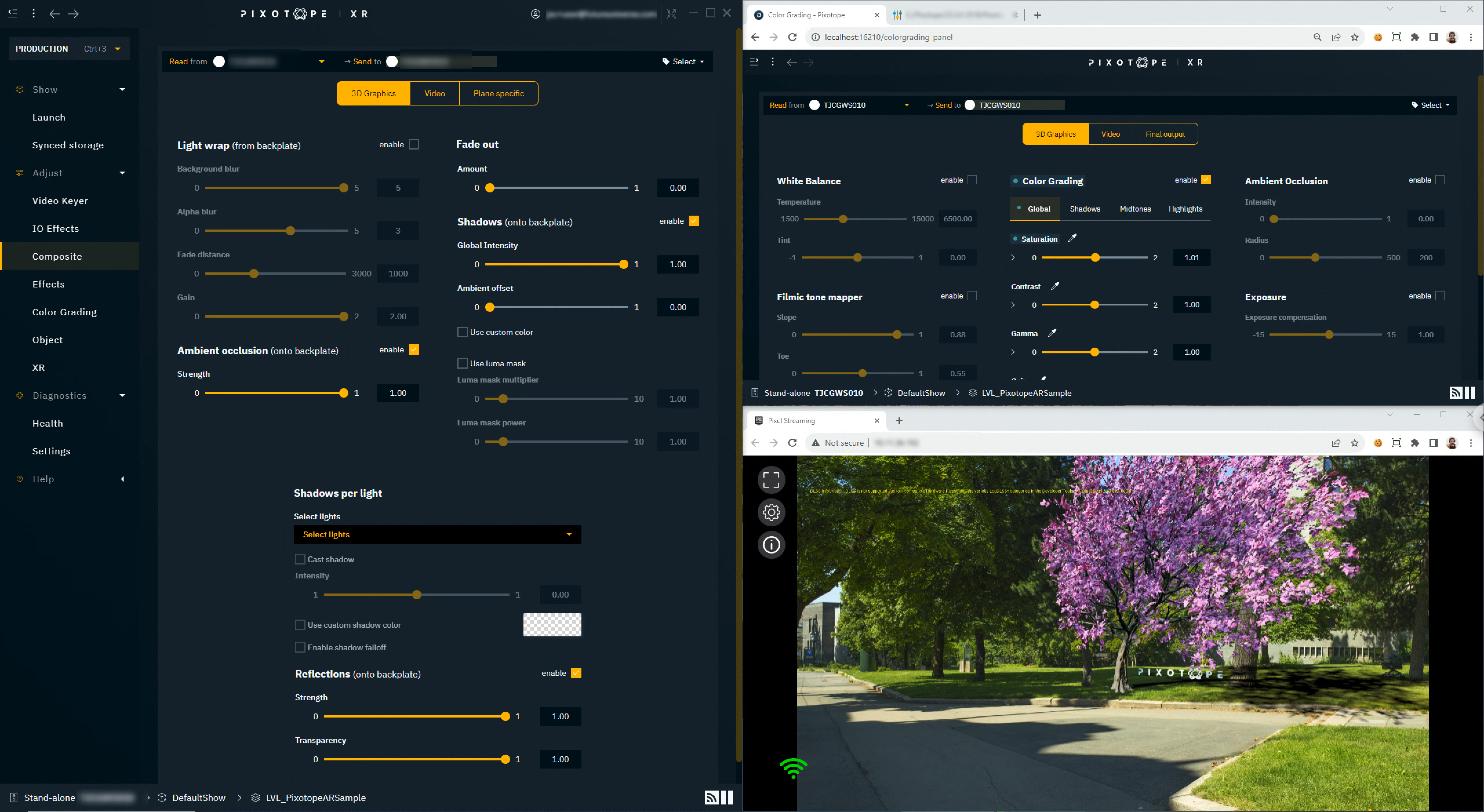
Together with Pixel Streaming you can show the Engine stream of any connected Engine. Learn more about how to Use Pixel Streaming
Open a new Director instance
-
Ctrl+ClickORShift+Clickon an item in the left side menu -
Press
Ctrl+N -
Via the Window menu > File > New Window
The name of the panel you are on is shown in the taskbar. Use Ctrl+Tab to navigate between them.
Director in the browser
Any panel in Director can also be opened in the browser
-
Navigate to the panel you want to open in the browser
-
Click the QR code icon in the top right corner
-
Click "Launch Director in browser"
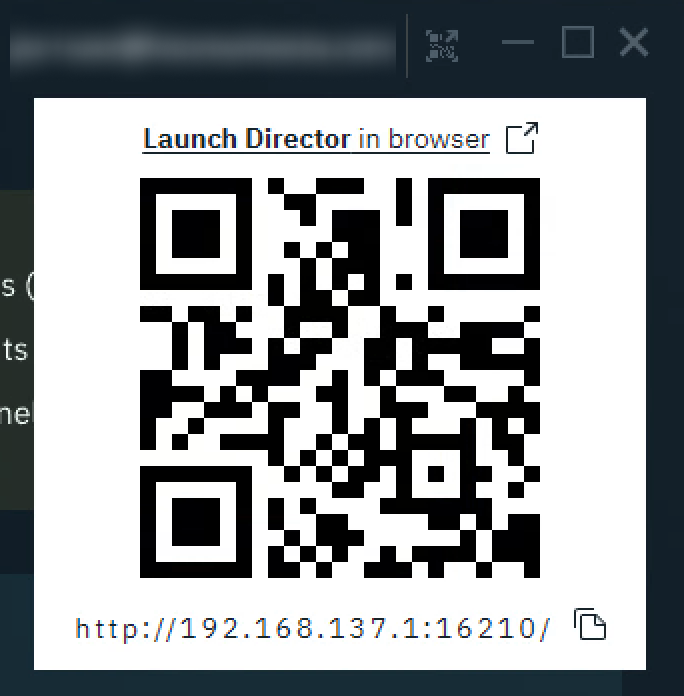
-
The panel is opened in a tab of your default browser
Functionality related to selecting files can not be used within Director in the browser.
Care for a ready made control panel that allows you to view 2 panels side by side?
Open the PX - View multiple panels control panel from the Control panel library
Embed panel
All Director panels can be embedded in an iframe. To adjust what parts of the Director panel to include, URL parameters can be added.
Available parameters
|
name |
description |
|---|---|
|
hideSidebar |
Hides the left side menu When embedded in an iframe, the left side menu is hidden by default. To unhide it, set this param to |
|
panelOnly |
Only shows the content area of the panel hiding
|
|
hideHeader |
Hides the header |
|
hideStatusBar |
Hides the status bar |
Example URL
http://localhost:16210/colorgrading-panel?hideSidebar=true&someOtherParam=value