
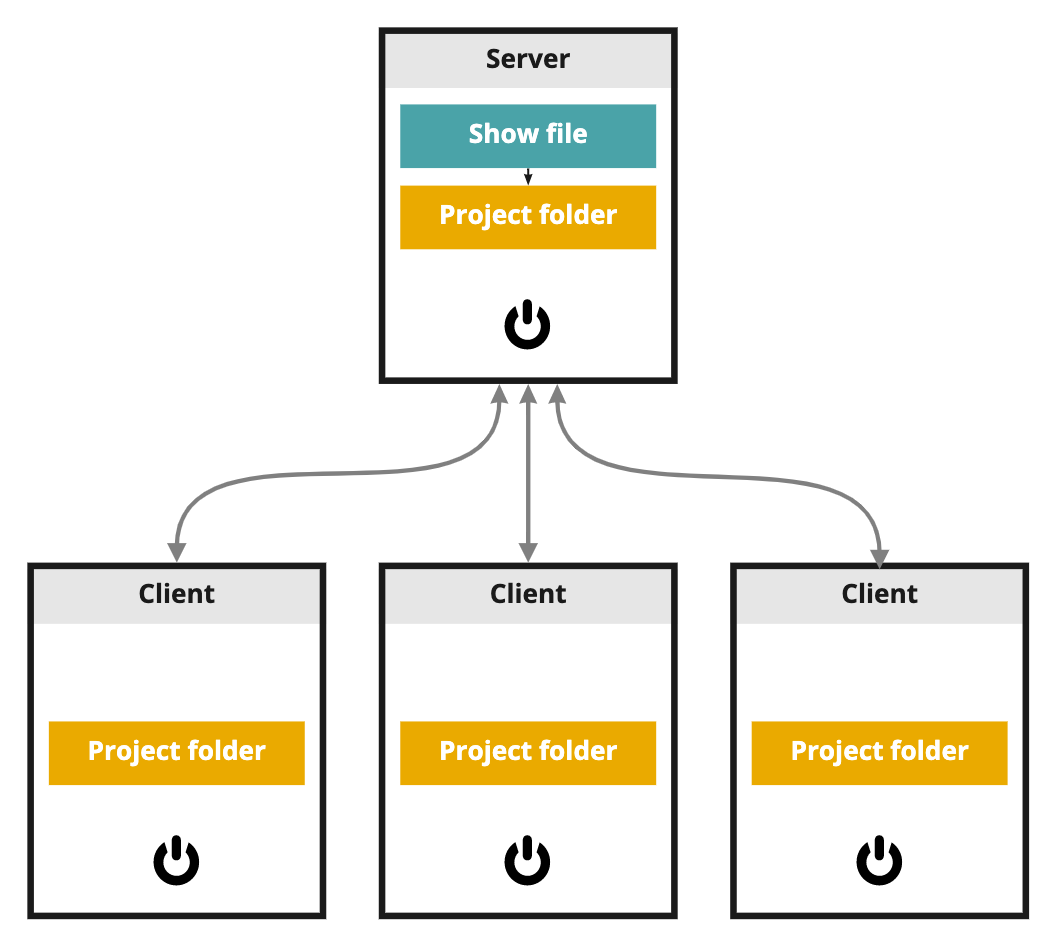
In a "Show" file all SETUP view parameters of a show as well as your adjustments are stored.
-
SETUP
-
Links to Project folders
-
Data sources
-
Show settings
-
Machine groups & backups
-
Camera systems
-
Routing
-
Calibrate tracking offsets & Delays
-
-
PRODUCTION
-
Video Keyer
-
IO effects
-
Adjustments (Live changes)
-
Presets (Quick and Named)
-
From this file you can easily create versions or backups of your show setup.
Learn more about Setting up a show - SETUP and What is stored where
Automatic backups
You can find backups of your current show file in
[Installation folder]/Local Storage/Show Files/Backups
-
Created every 30 mins (if there has been a change)
-
Max 5 backups
Show file location
Show files (.pxshow) are specific to an installation and therefore stored in
-
[Installation folder]/Local Storage/Show Files
Lens files and XR Color profiles are stored in the Synced Config folder. Learn more about What is stored where
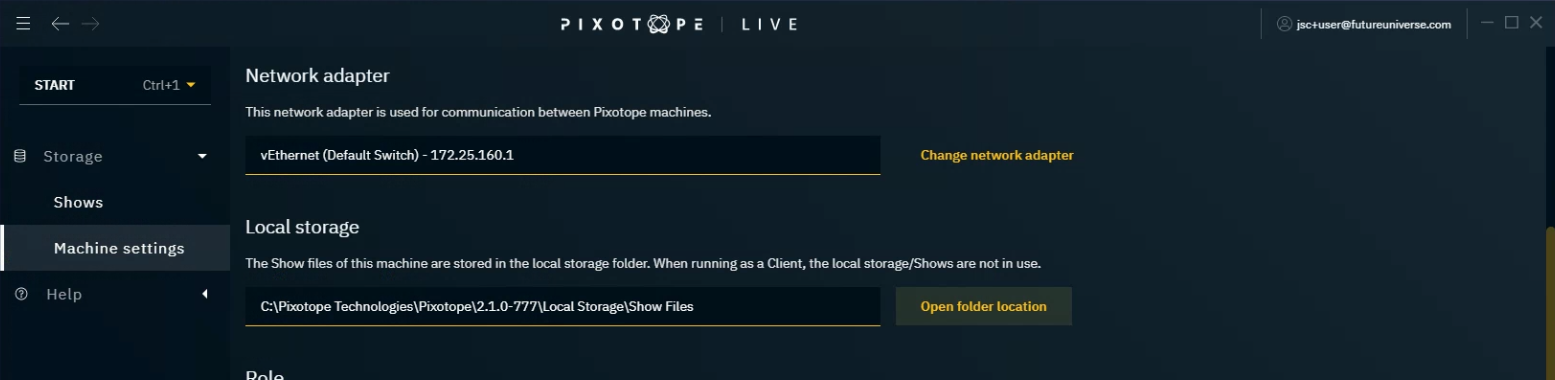
To get to the show files
-
Click on "Open folder location" in START > Storage > Machine settings > Local storage
-
OR find the path to a specific Show file by clicking on "Open show file location” in the overflow menu (3 dots at the right) of a show in START > Storage > Shows

As every Pixotope version has its own local storage folder, when installing a new Pixotope version, you are asked if you want to copy this folder to the new installation.