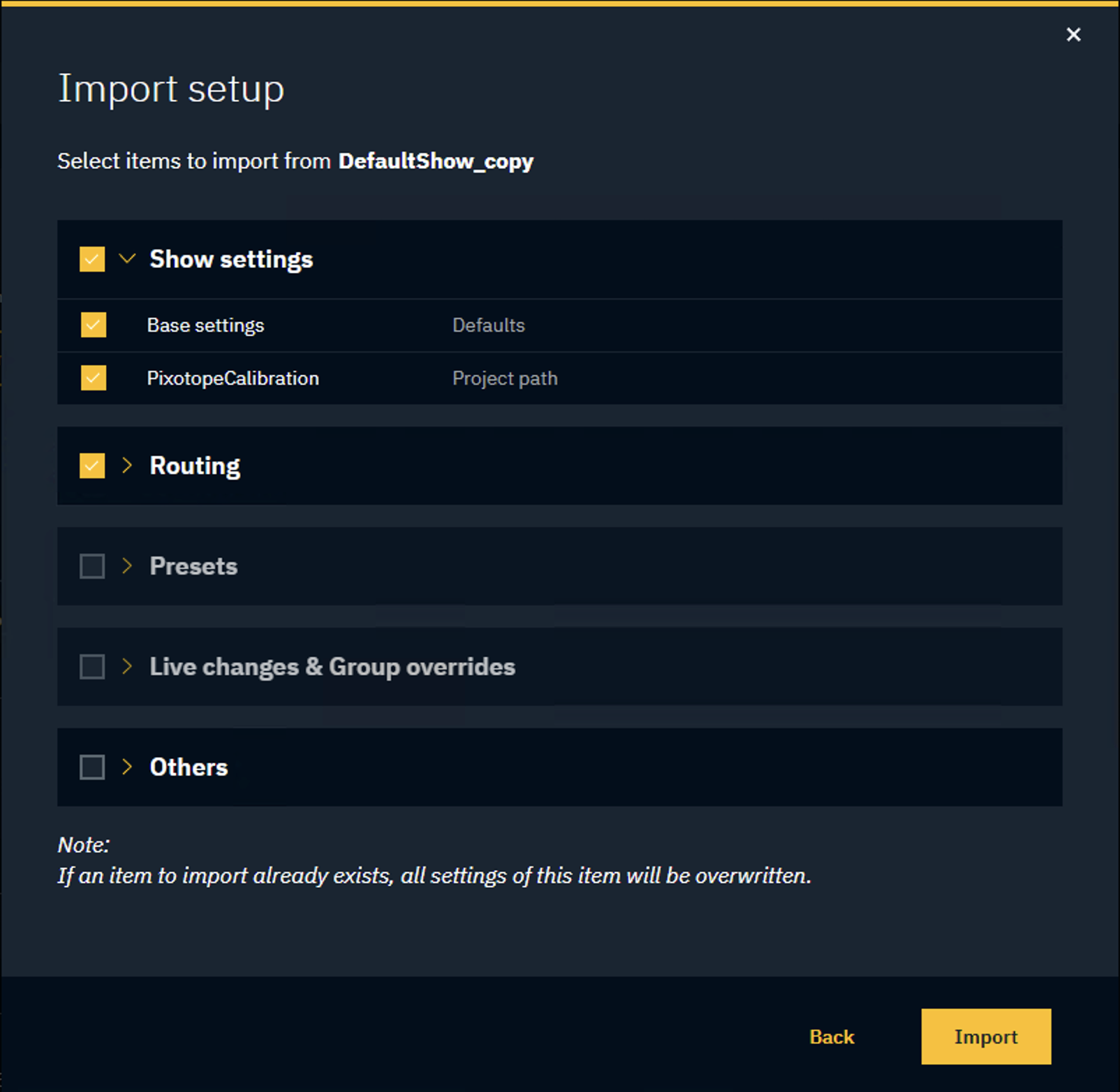
Import from other show allows you to import configuration and calibration settings from another show.
To import a setup into the open show:
-
Click "Import from other Show" in SETUP > Show > Show settings
-
Select the machine you want to import the setup from
-
Optionally, you can click "Browse" to select a show from anywhere on the local machine
-
-
Select the Show
-
Select the items to copy over
If an item to import already exists in the target show, all settings of this item will be overwritten.
Options
-
Show settings (Base settings, Linked project paths)
-
Routing per machine
-
To include the machines "Group tags", also select Others > Machine groups
-
-
Presets per panel
-
Live changes & Group overrides
-
Others
-
Backup groups
-
Machine groups
-
Data mapper
-
Pixotope Tracking data
-
Digital Twin data
-
Camera groups
-
Live controller
-
templates, playlists, output targets
-
-