Create color transforms and profiles
If you need to create custom color transforms there are multiple ways to source or create these.
This online tool can create OCIO-compatible Look Up Tables (spi1d, spi3d): https://cameramanben.github.io/LUTCalc/LUTCalc/index.html
Add profiles and transforms
We currently support OpenColorIO configs:
-
Create an OpenColorIO LUT
Example files here: https://github.com/AcademySoftwareFoundation/OpenColorIO-Config-ACES/releases/tag/v2.0.0-v2.1.0 -
Place the file in
[Your installation path]\Services\VideoIO\ocio-configs\aces\luts -
Add your color space/LUT to the
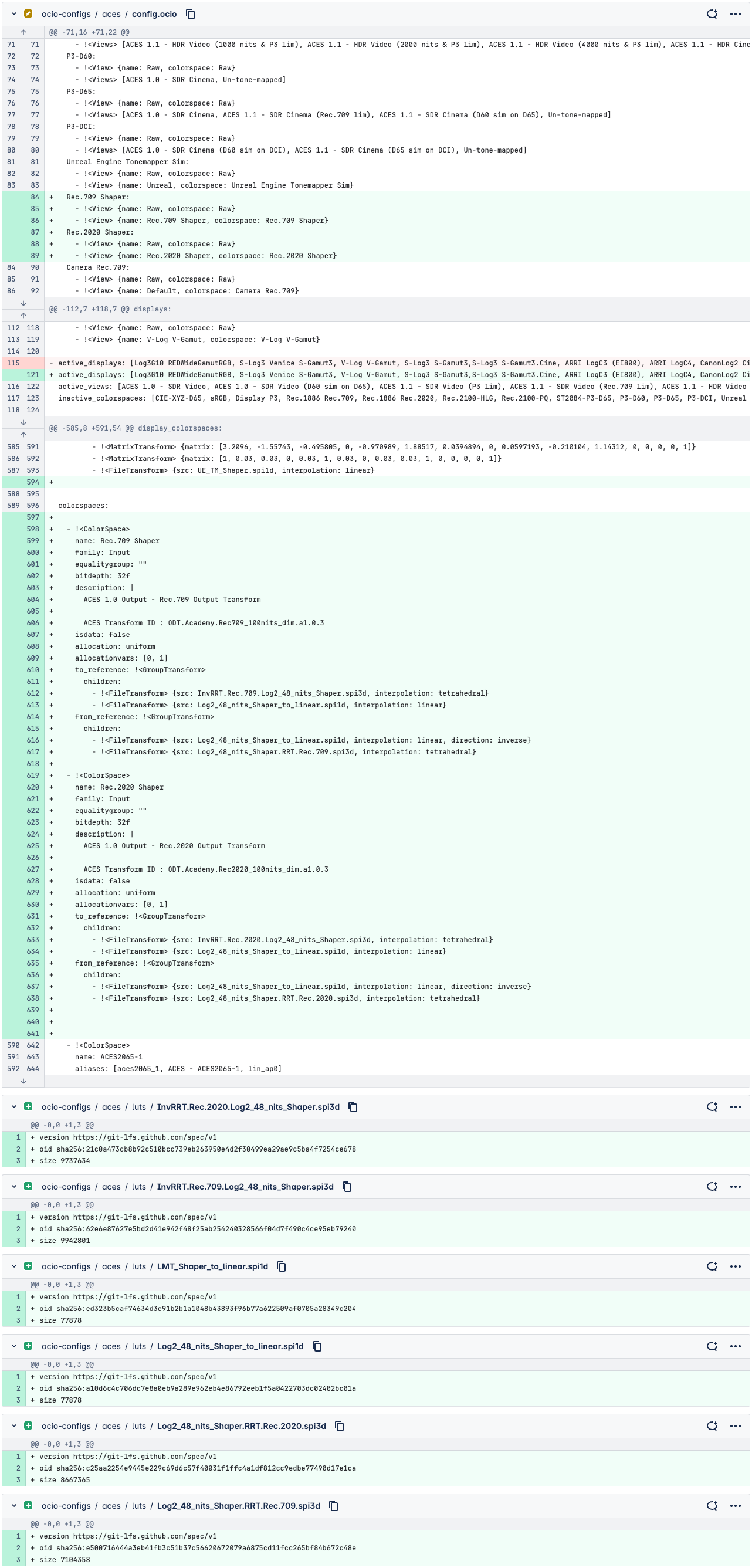
config.ociofile[Your installation path]\Services\VideoIO\ocio-configs\aces -
Switch panels to update the available color profiles
Learn more about OCIO and ACES in Pixotope
Example commit
In this example we added the Rec.709 Shaper and Rec.2020 Shaper.