
Get/Set Pixotope World Settings
Learn more about how to Change world settings via blueprints
Simple Publish (ZeroMQ)
Learn more about how to How to control a Pixotope service
Blueprint nodes related to data handling
Learn more about how to Set up data integration
Get data from Data mapper sources
Learn more about how to Set up data integration
Scheduling Events
When running a production with Multi-machine syncing enabled using an LTC input, it is possible to schedule blueprint events to be executed at specific timecodes.
.png?cb=e6f8cde4a29ef3a1654ff298aad2d622)
You can schedule your events at Begin Play using a Schedule Function node. Drag out from Function pin and select Add Custom Event from the list to create a new event. You can also split the Time to Call pin to type in the timecode the event should be executed at.
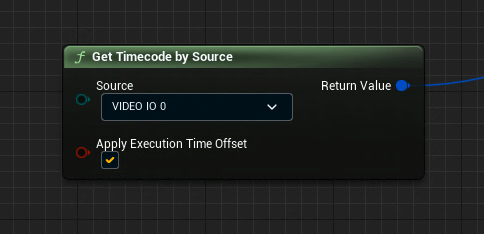
Use the Get Timecode by Source node to select which timecode to use and whether to apply the API delay you configured in the Director’s Sync panel.
More custom blueprints
Custom blueprints
This tutorial showcases an older version of Pixotope.
-
Pixotope blueprints
-
Other blueprint setups useful for productions