
This feature is still experimental!
The expression editor allows you to build logic inside Pixotope control panel instead of Blueprint by using a drag and drop editor.
Add custom logic
-
Open the Expression Editor by clicking on the
Sumicon
-
The left side shows function options which can be dragged into the fields on the Output side marked as “Input”. For a list of available functions see below
-
The expressions default state shows the Source function in the Input field. This means that the actions Source is send to the Target directly

-
If the Source function is not present in any of the fields inside the Expression Editor, the value of the actions Source will not be used.
-
Build your logic by dragging options from the list on the left to the expression editor on the right
-
To add "variables" to the expression, drag in the Input function
-
an Input parameter is created on the action
-
the value of the input parameter is being sent to the target
-
-
-
Combine the different functions to build more complex logic
Example
A button to increment by a custom step value

The logic is executed/The target is updated when
-
the source changes
-
the widget is executed
Updating an input does NOT execute the logic.
Available functions
|
Function |
Input options |
Description |
|---|---|---|
|
Source |
|
Takes the source value |
|
Input |
|
Creates an input parameter and takes its value |
|
Decimal |
|
Allows to set the amount of digits for a number |
|
Abs |
|
Returns the absolute value |
|
Inc |
|
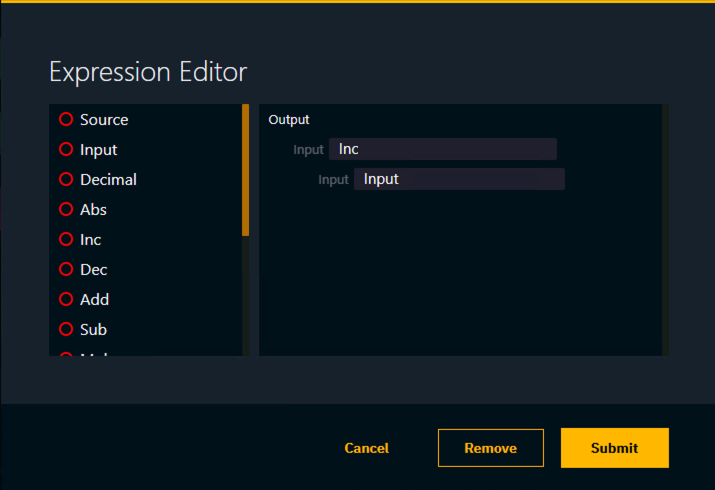
Returns the value + 1 To build an increment/decrement logic, feed the output back into the input. 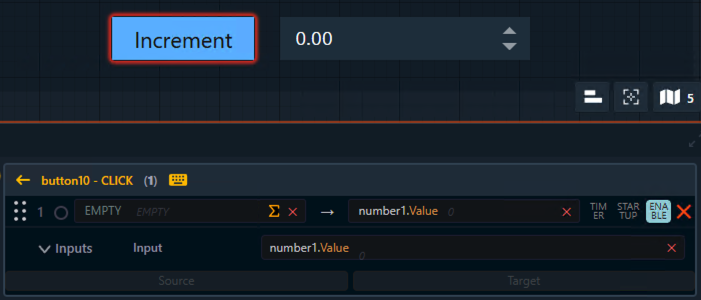
|
|
Dec |
|
Returns the value -1 |
|
Add |
|
Adds input values |
|
Sub |
|
Subtracts input values |
|
Mul |
|
Multiplies input values |
|
Div |
|
Divides input values |
|
Min |
|
Returns the smaller number |
|
Max |
|
Returns the larger number |
|
Concat |
|
Combines the inputs into a single text 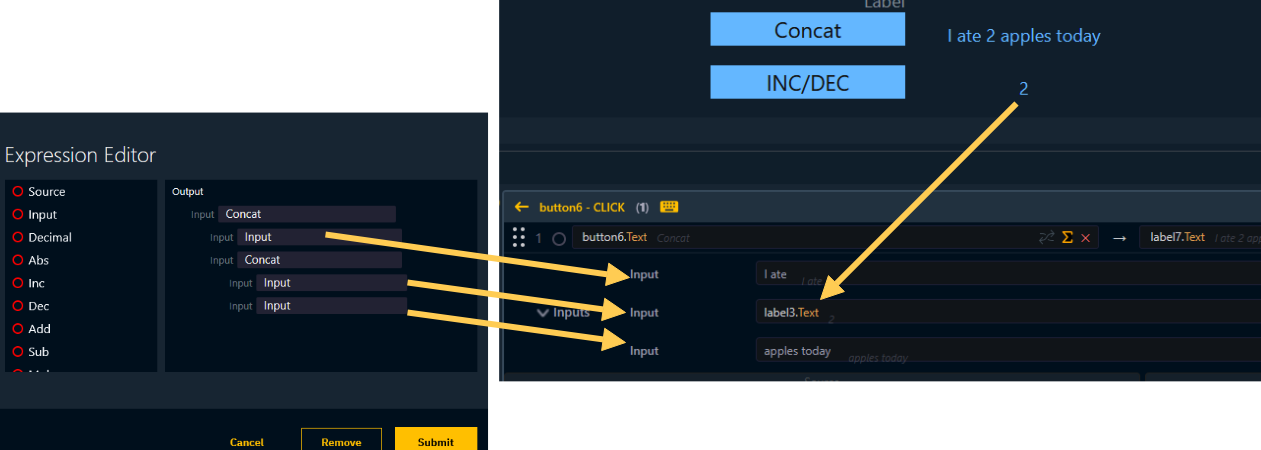
Advanced example In the example above we combined two “concat“ nodes. However, it will always output plural for the word “apple“. As we want it to be singular when the number is 1, we need to use an If function. 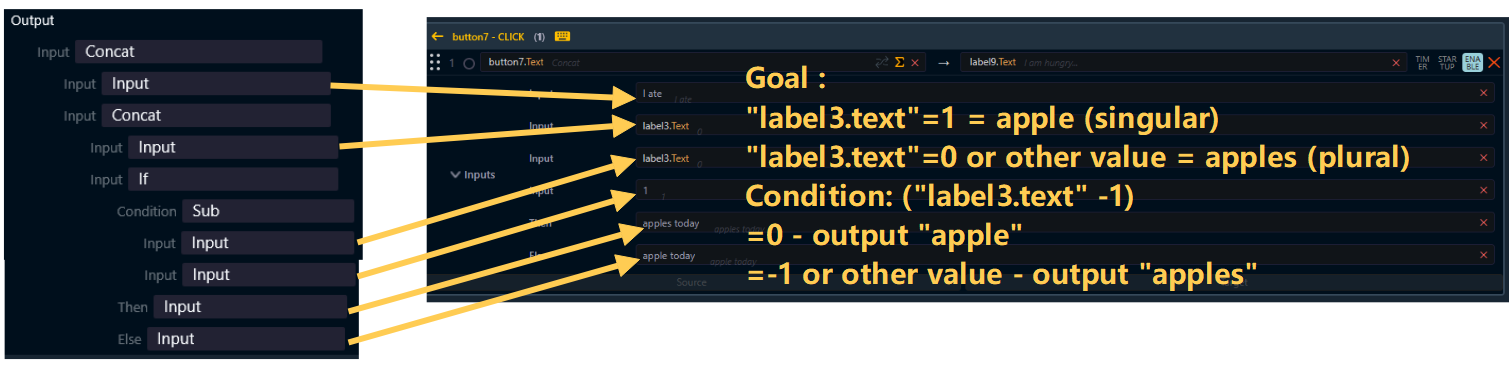
|
|
If |
|
Returns the Then value if the condition is true otherwise it returns the Else value Conditions: truthy: true, non-zero number false: false, 0 |
|
Key |
|
|
|
Engine |
|
Select specific engines to be controlled Can not be combined with other functions! By default all actions are sent to the engines specified in the "Send to" engine list. To only send the action to specific machines
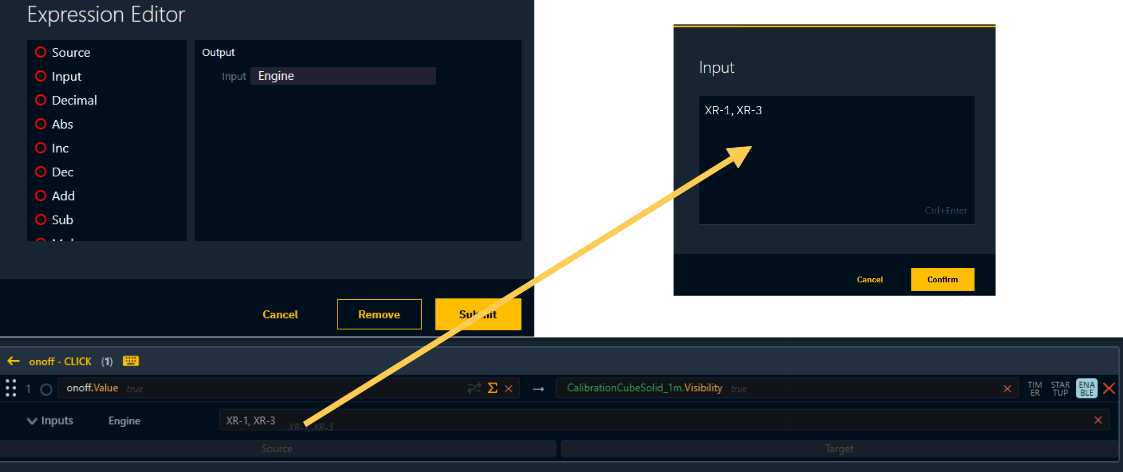
This is for example useful in an AR+XR setup. |