
By default a page is the instance of a single template. If multiple templates should be controlled by a single page one can create a Combo Template.
Create combo template
-
Go to the Template Manager in Erizos Studio
-
Select multiple templates using Ctrl+Click
-
Right-click them and click on "Create Combo"
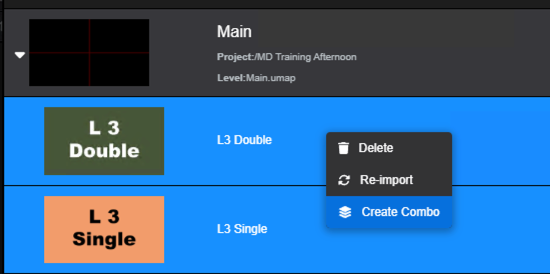
-
This creates a new template in the Template manager and will specify what templates is combining
Learn more about → Combo templates
Expose control which sub-template to trigger
By default combo templates merge the form/UI of the selected templates. When triggering IN/OUT/CHANGE animations, all combined templates are triggered simultaneously.
To specify which template to trigger
-
Right-click the combo page and click "Create UI" which opens the UI Builder
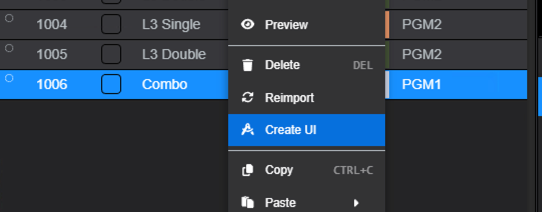
-
Click the chain icon on the left side
-
Drag and drop the template checkboxes into the UI
-
Save your changes and go back to Erizos Studio
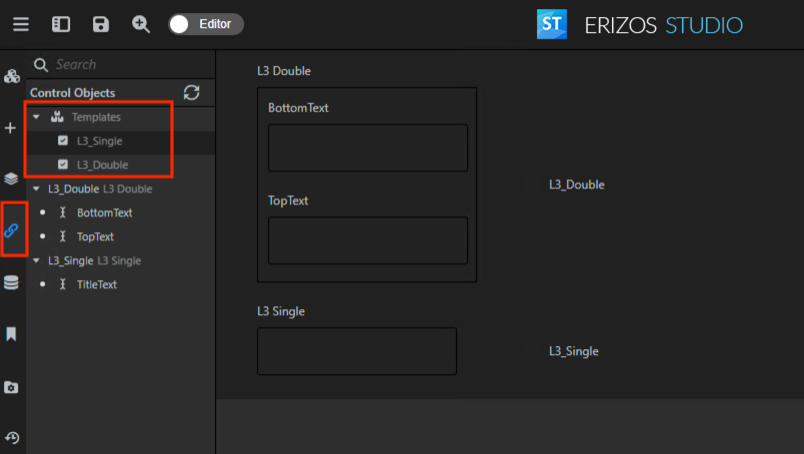
-
From the combo page you now have the ability to select what template(s) you are enabling when taking in that page
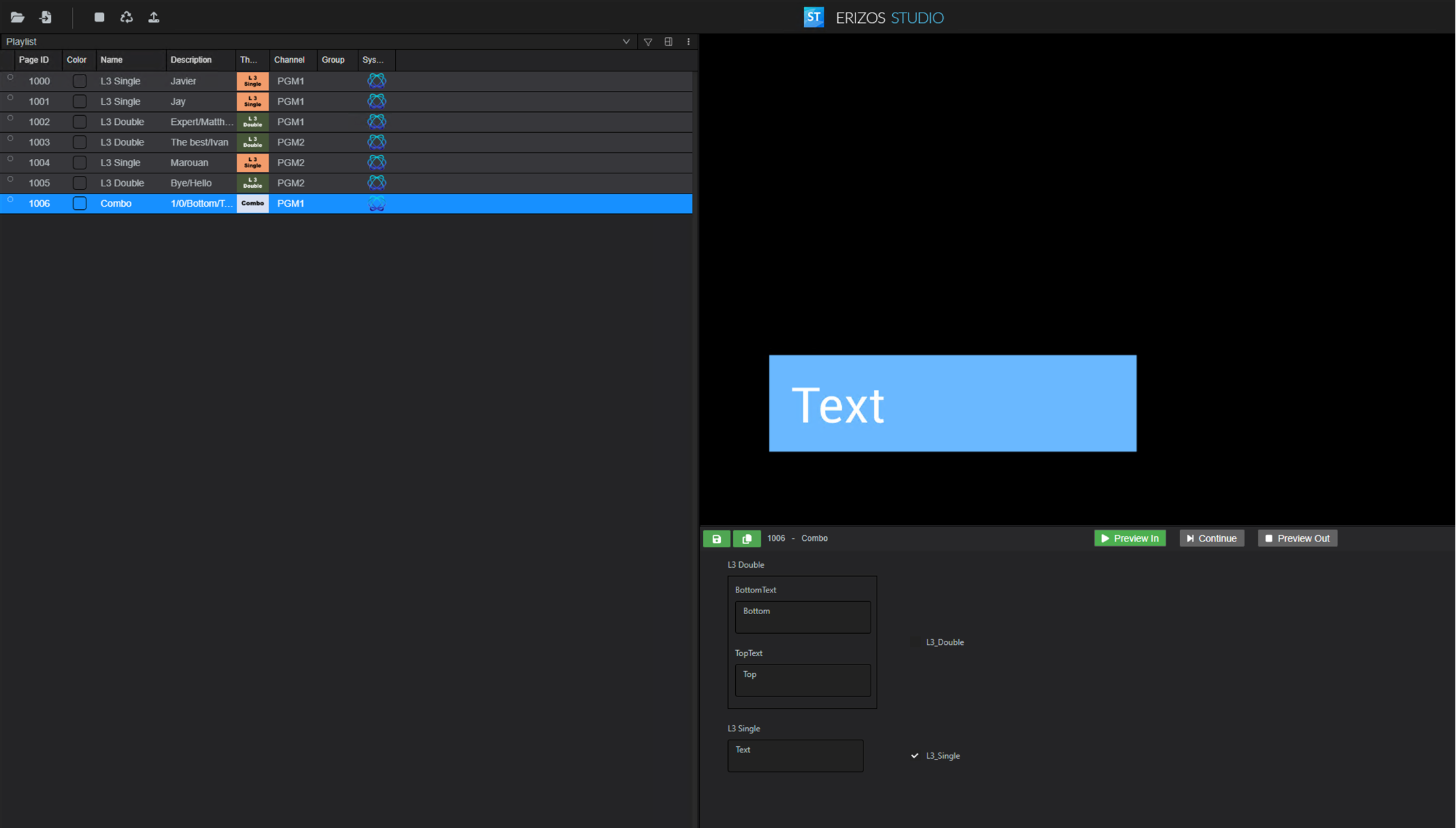
Learn more about → Combo templates