
Widgets can be useful when you want to show some stats for debugging or make an animated picture/text on the viewport/output. In this guide we will show you how to use Pixotope Widget renderer.
Create widget
-
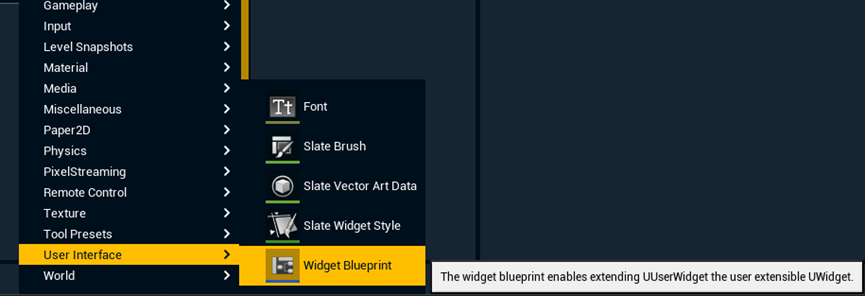
Right click in the Content Drawer
-
Add a "Widget Blueprint" under User Interface
-
Note: the "Editor widget blueprint" under Editor Utilities does not work in Live mode, if there are animations involved
-
-
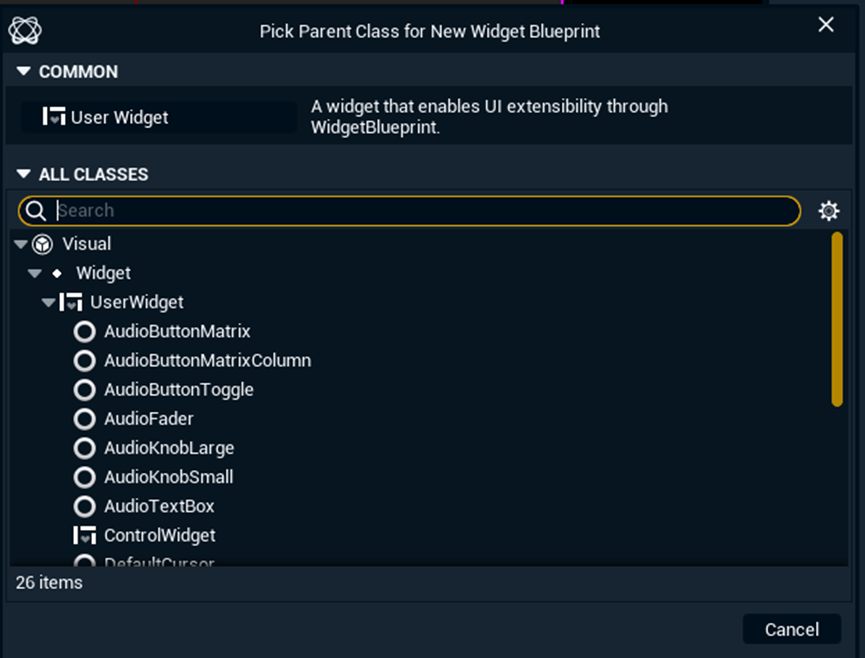
Select "User Widget" in the upcoming dialog
-
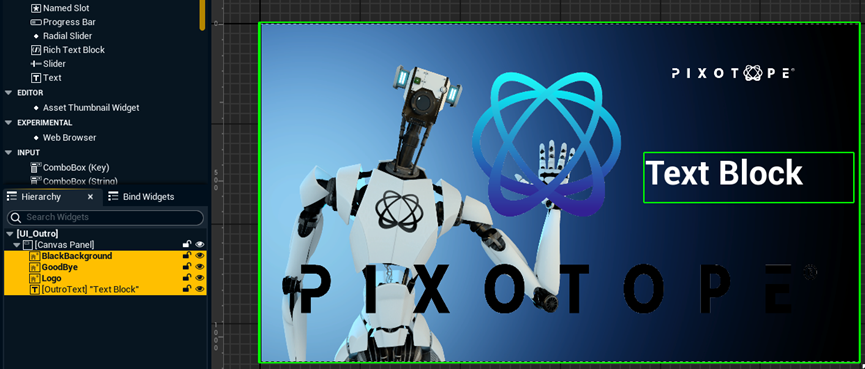
Rename it, in our case UI_Outro
-
Create the widget you like
-
Learn more about how to create user interfaces → https://dev.epicgames.com/documentation/en-us/unreal-engine/creating-user-interfaces-with-umg-and-slate-in-unreal-engine
-
-
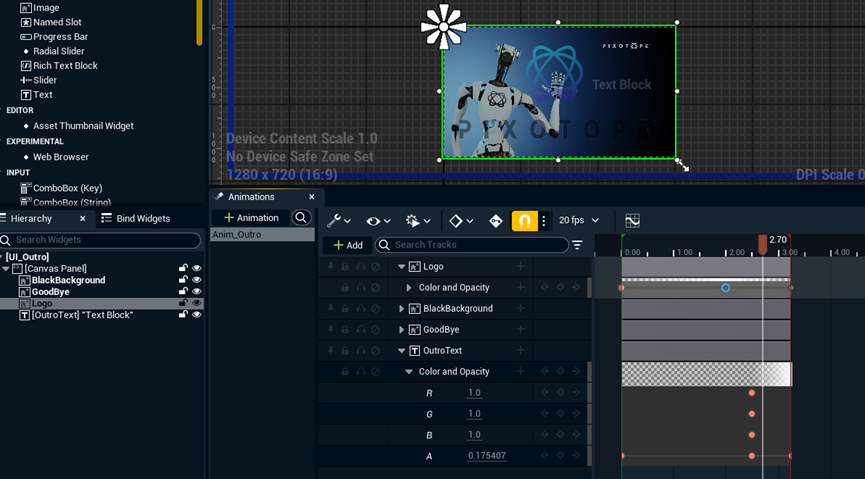
Optionally create Animations for those widgets, in our case Anim_Outro
-
Note: If you want to control the visibility set the opacity of a widget to 0 to hide it.
-
-
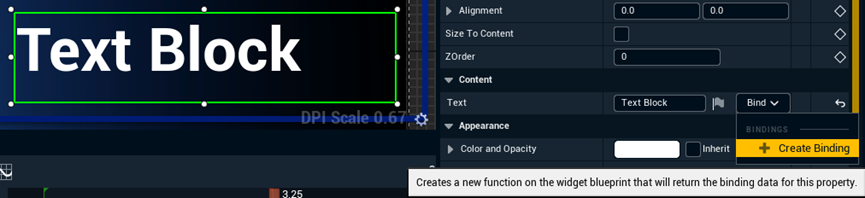
Click "Create Binding" on a widget so that we can tweak it in another Blueprint
-
This creates a function and switches to the Graph page
-
-
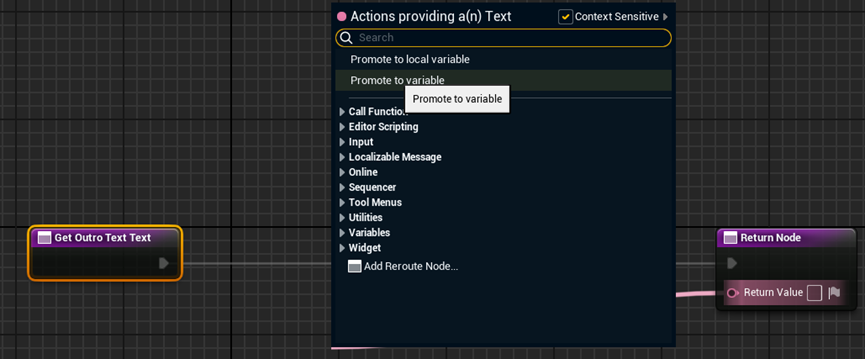
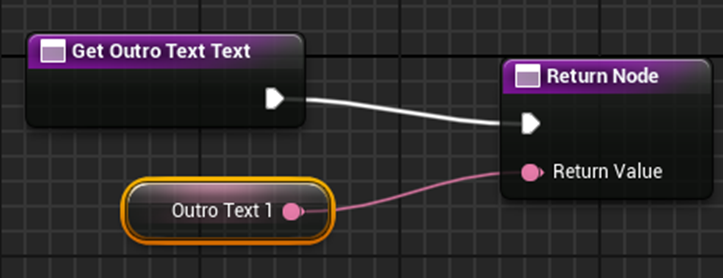
In the graph view, click the Return Value and select Promote to variable
-
Compile and save the widget blueprint
Repeat this process with other widgets that you want to control from another Blueprint.
Control variable
-
Fine tune the widgets in the widget blueprint
-
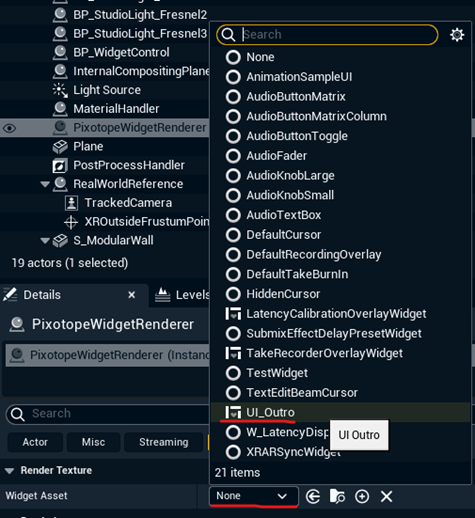
Add "Pixotope Widget Renderer" into the scene and select the widget blueprint we just made as Widget asset
-
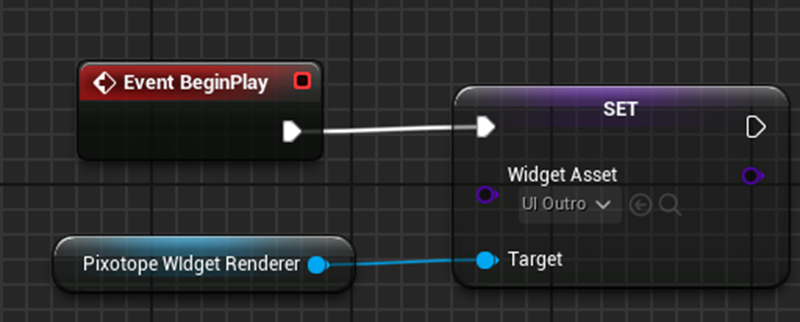
Optionally you can leave this empty and assign the widget blueprint in another Blueprint with this node (Set widget asset)
-
Create an actor Blueprint and rename it (in this case BP_WidgetControl)
-
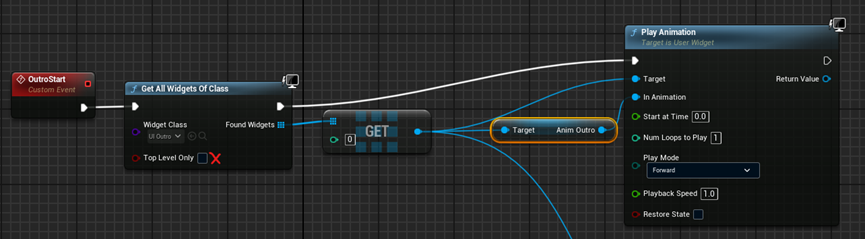
Create logic for animation control
-
Be sure to uncheck the "Top Level Only"
-
"AnimOutro" is the animation name set in the widget blueprint (See step 6)
-
-
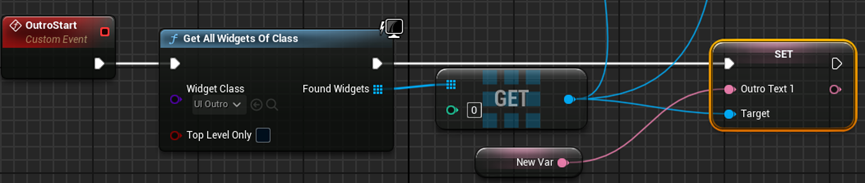
Create logic for text control
-
"OutroText1" is the text variable we promoted from the Text widget binding (See step 8)
-
You can build complex logic to drive this text widget. For example, use a custom event to send text from an Array one by one to Text widget.
A test project can be downloaded herePixotopeWidget.zip